

 Tiếng Việt
Sign up for a Mexc account
| Date: 27/10/2025 | 3564 Views | Cryptocurrency Exchange Registration |

Sign up for a Mexc account – Enjoy the lowest trading cost
Hello traders! Looking for a reliable and user-friendly crypto trading platform with THE LOWEST TRADING FEES? Look no further! In this guide, I’ll show you how to sign up for a MEXC account, a platform I personally trust and enjoy using.
MEXC offers some of the lowest fees among exchanges, along with incredible bonuses you won’t want to miss. Whether you’re new to crypto or an experienced trader, you’ll find MEXC’s features truly beneficial.
Here are some key features I love about MEXC:
A user-friendly interface that’s easier to use for beginners
Lowest trading fees in the market
Simple and fast P2P trading experience
Frequent airdrop events giving away free tokens
Exclusive perks and rewards for active traders
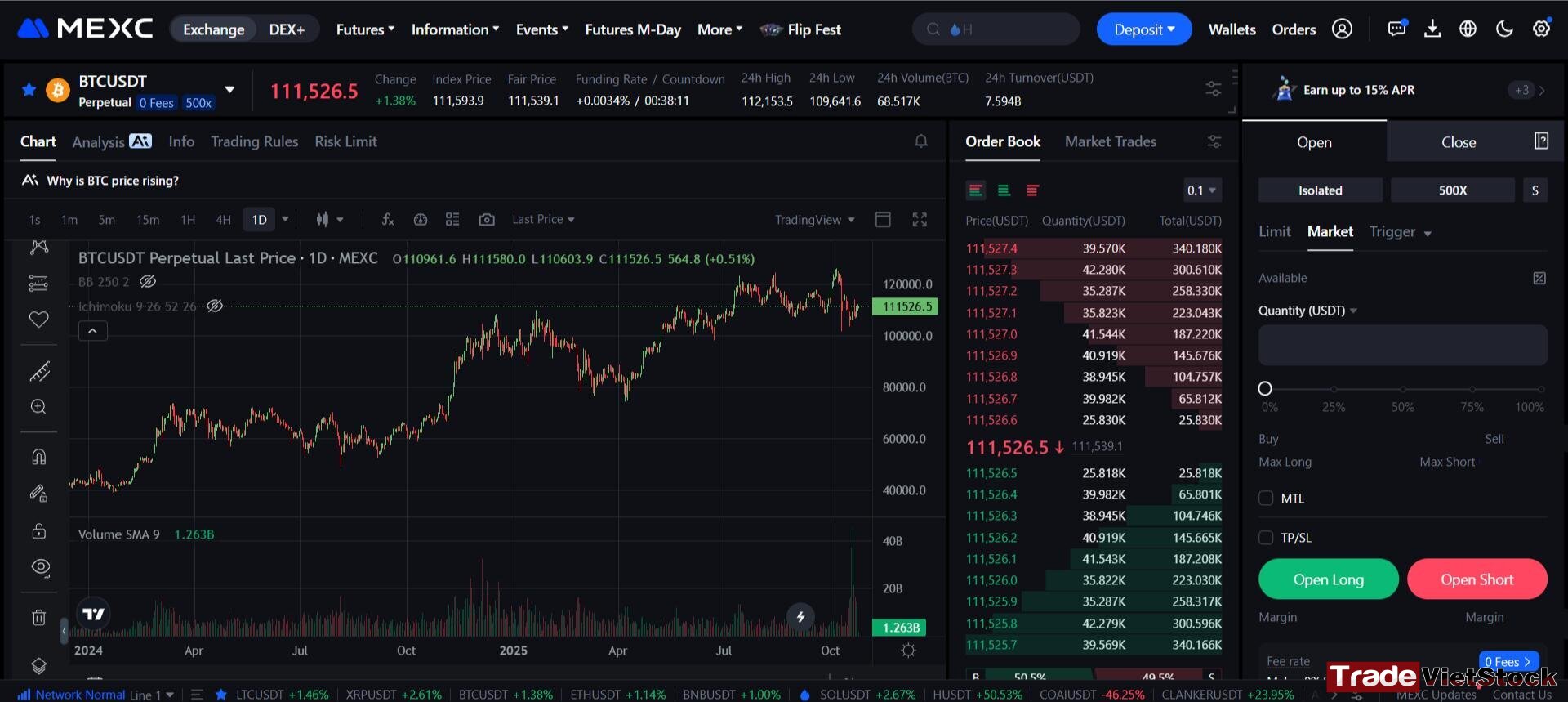
I. Steps to Create a MEXC Account (with the Lowest Trading Fees)
Step 1: Click “Sign up for a MEXC Account.“
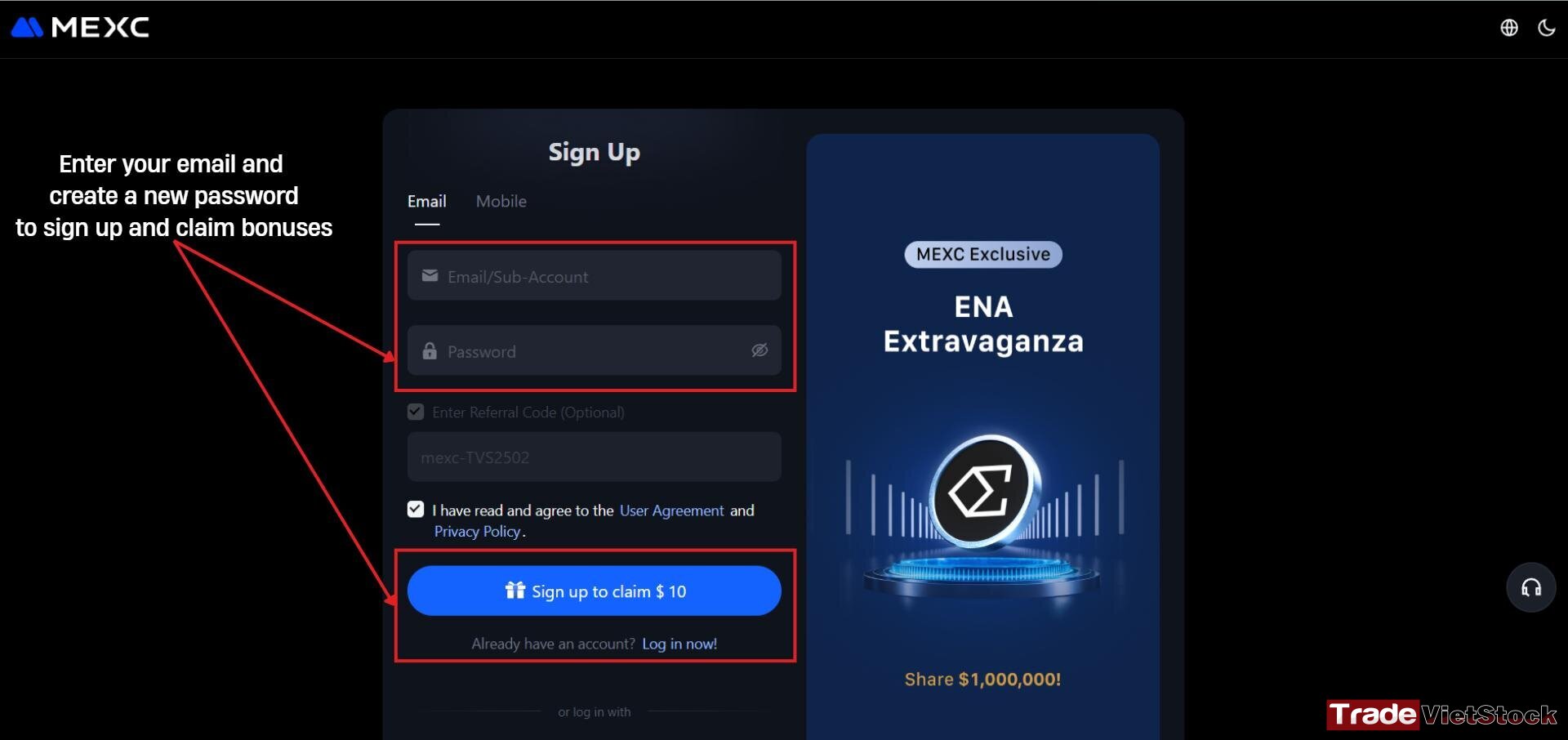
Step 2: You’ll be directed to the registration page.
Enter your email address or phone number, and create a new password. Then click “Sign up to claim $10” to open a Mexc account.
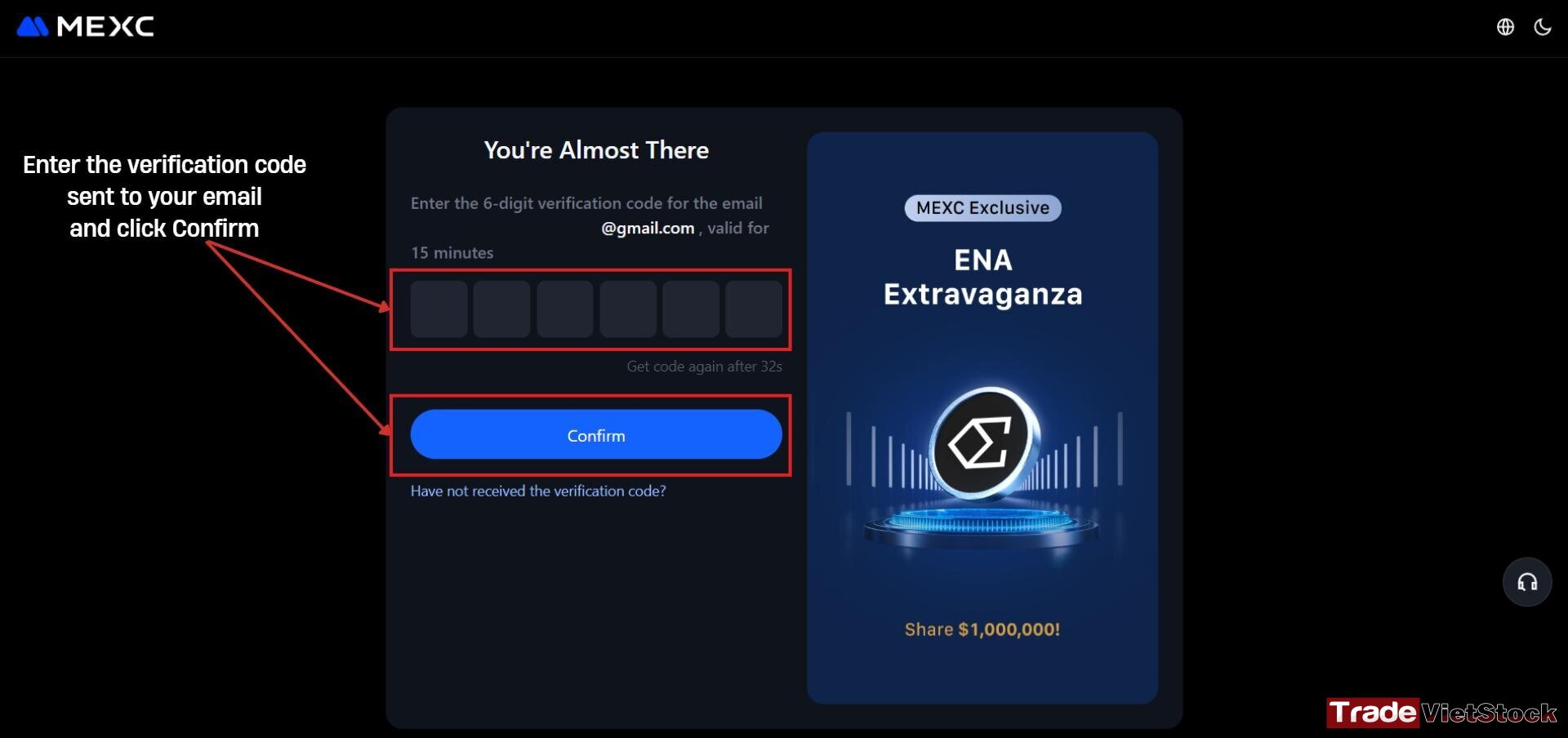
Step 3: Check your email for a verification code. Enter the code in the confirmation box and click “Confirm.”
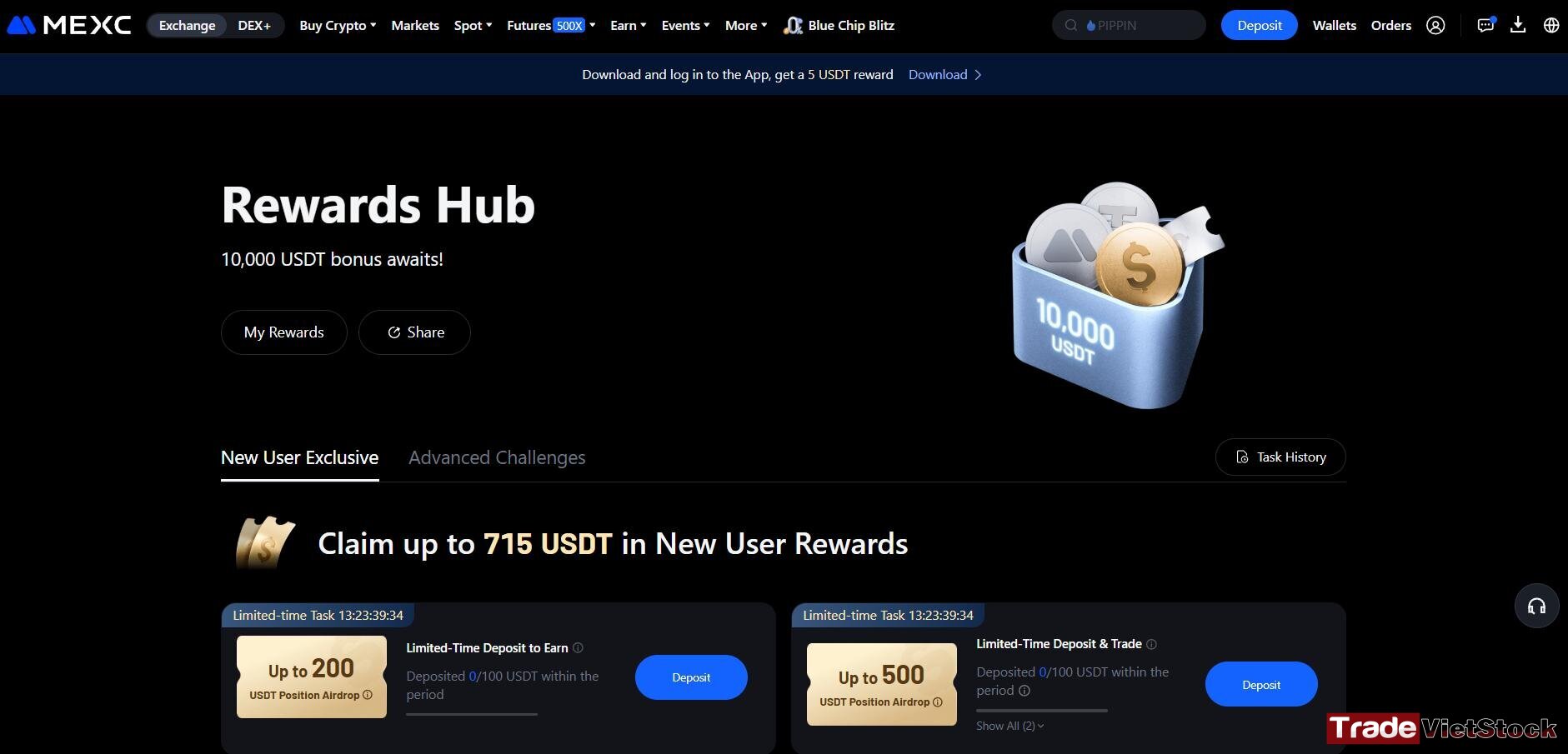
After confirmation, your MEXC account will be successfully created. You’ll be redirected to your main account dashboard.
Next, complete the KYC (identity verification) process to fully activate your account. Detailed KYC instructions are provided in the following section.
II. Mexc Account Verification / KYC Process
1. KYC Policy on MEXC
Once you sign up for a Mexc account, you’ll move forward to complete Mexc account verification process, known as KYC (Know Your Customer), to ensure account security, protect user information, and comply with regulatory standards.
You’ll need to provide personal details and verify your identity to access advanced features and increase your withdrawal limits.
2. Types of KYC on MEXC
a. Primary KYC
This is the standard verification level. It requires you to submit basic personal information and upload photos of a valid ID document such as your passport, driver’s license, or national ID card. Once completed, your daily withdrawal limit increases to 80 BTC. This level is quick to complete and suitable for most users.
b. Advanced KYC
Advanced KYC adds a facial recognition step to confirm that your face matches the ID you submitted. After completion, your daily withdrawal limit increases to 200 BTC.
This level is recommended for high-volume traders or institutional users.
3. KYC Process on MEXC
After creating your MEXC account, you can start trading immediately with basic features.
However, to enhance security, protect your funds, and prevent issues such as account recovery difficulties, it’s strongly recommended to complete either Basic or Advanced KYC.
4. Important Notes on Uploading Photos for KYC
Since 2023, MEXC no longer allows users to upload pre-taken photos from a computer for identity verification. You must capture photos directly using your device’s camera during the verification process.
III. Step-by-Step KYC Verification on MEXC
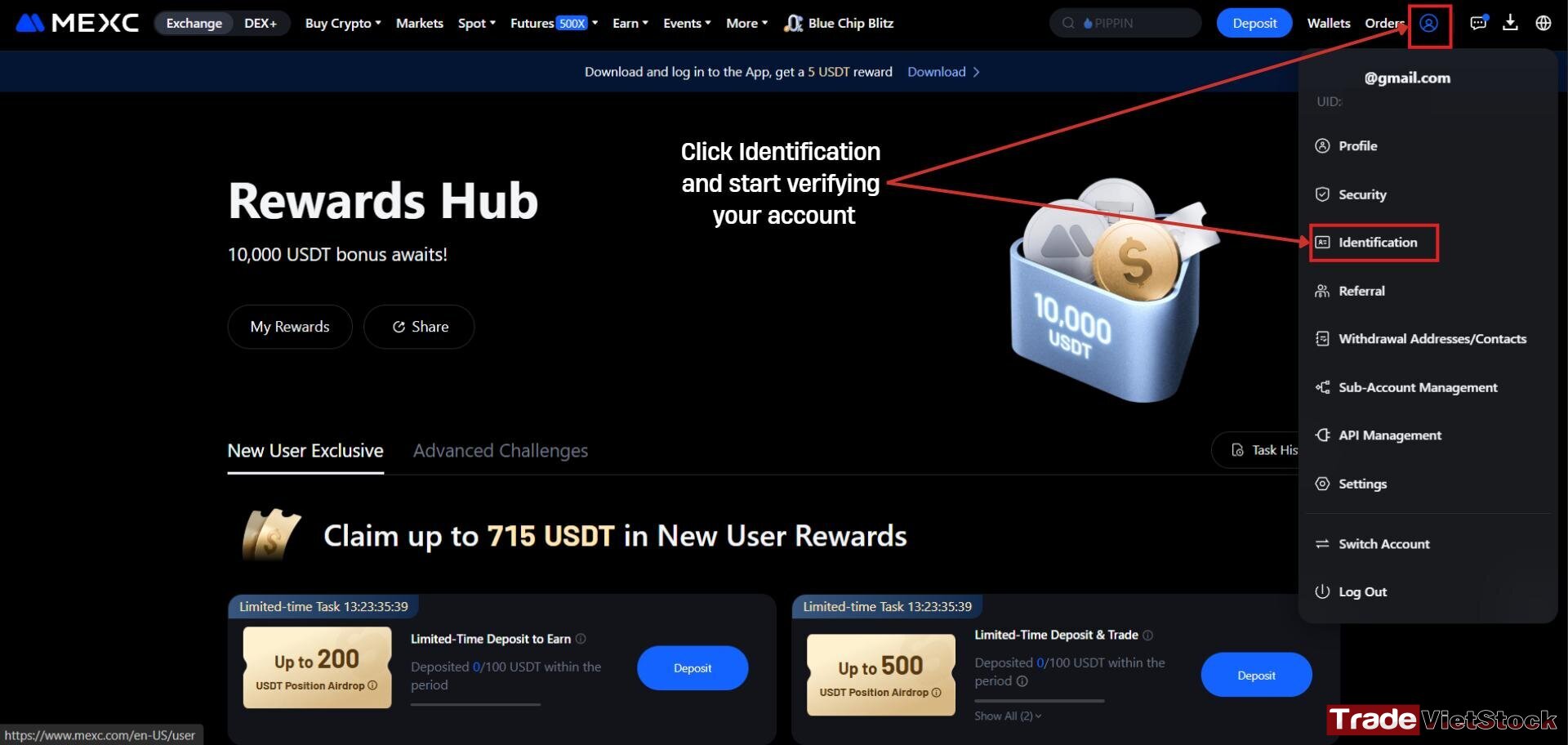
Verification on both the website and the mobile app is nearly identical. You simply need to find the “Identification” section and select “Advanced KYC.” The process is straightforward and only takes a few minutes.
Step 1: Log in to your MEXC Account
After logging in, click the profile (person) icon in the upper-right corner of the page and select “Identification.”
Step 2: Choose the Verification Type
You’ll see two options: Primary KYC and Advanced KYC.
It’s recommended to choose Advanced KYC to enhance your account’s credibility and access higher withdrawal limits.
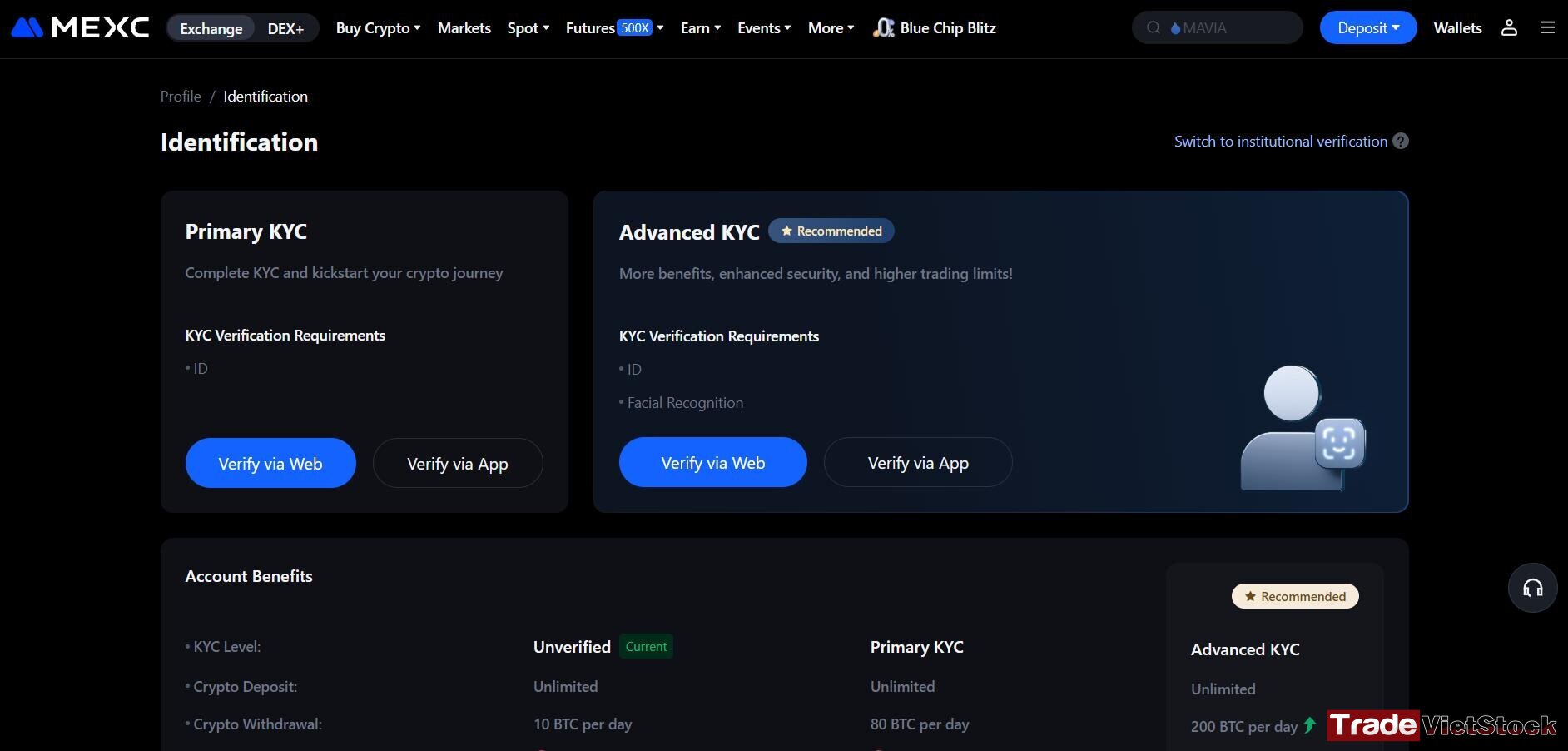
This process includes a facial recognition scan, so using your phone’s rear camera is best for capturing clear images. You can complete the Mexc account verification process either on the web version or directly in the MEXC mobile app.
Step 3: Fill in Your Personal Information
Provide your country, full name, ID number, and date of birth. Upload clear photos of your ID card, driver’s license, or passport (both front and back).
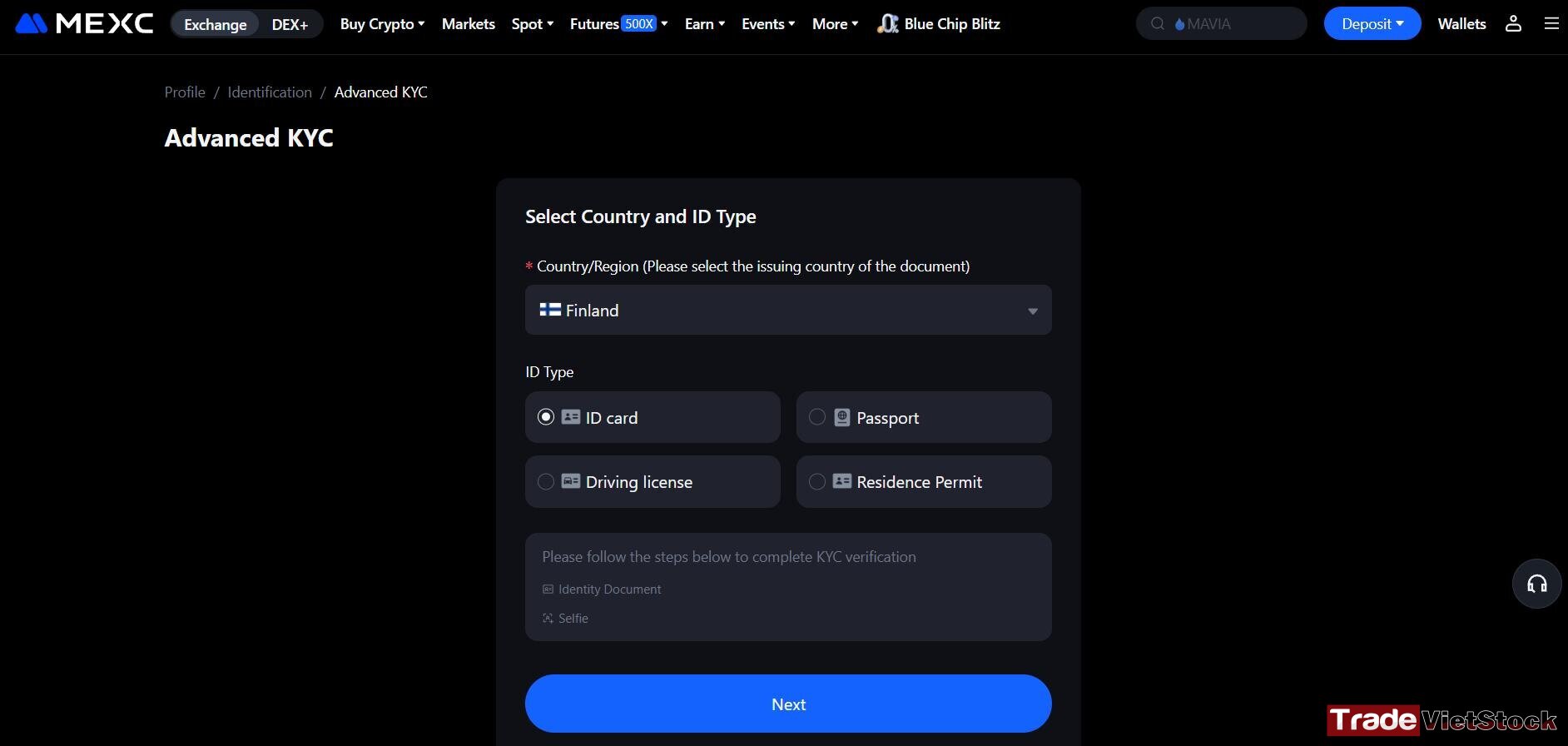
Ensure the images are well-lit, sharp, and readable. Once everything is filled out, click “Submit for Review.”
Step 4: Wait for Approval
Mexc account verification processing times vary depending on the system load. If your images are clear, the verification is usually completed within a few minutes.
For the fastest results, it’s best to complete the process on your phone and use the rear camera to take clear photos.
IV. Make your first deposit on Mexc
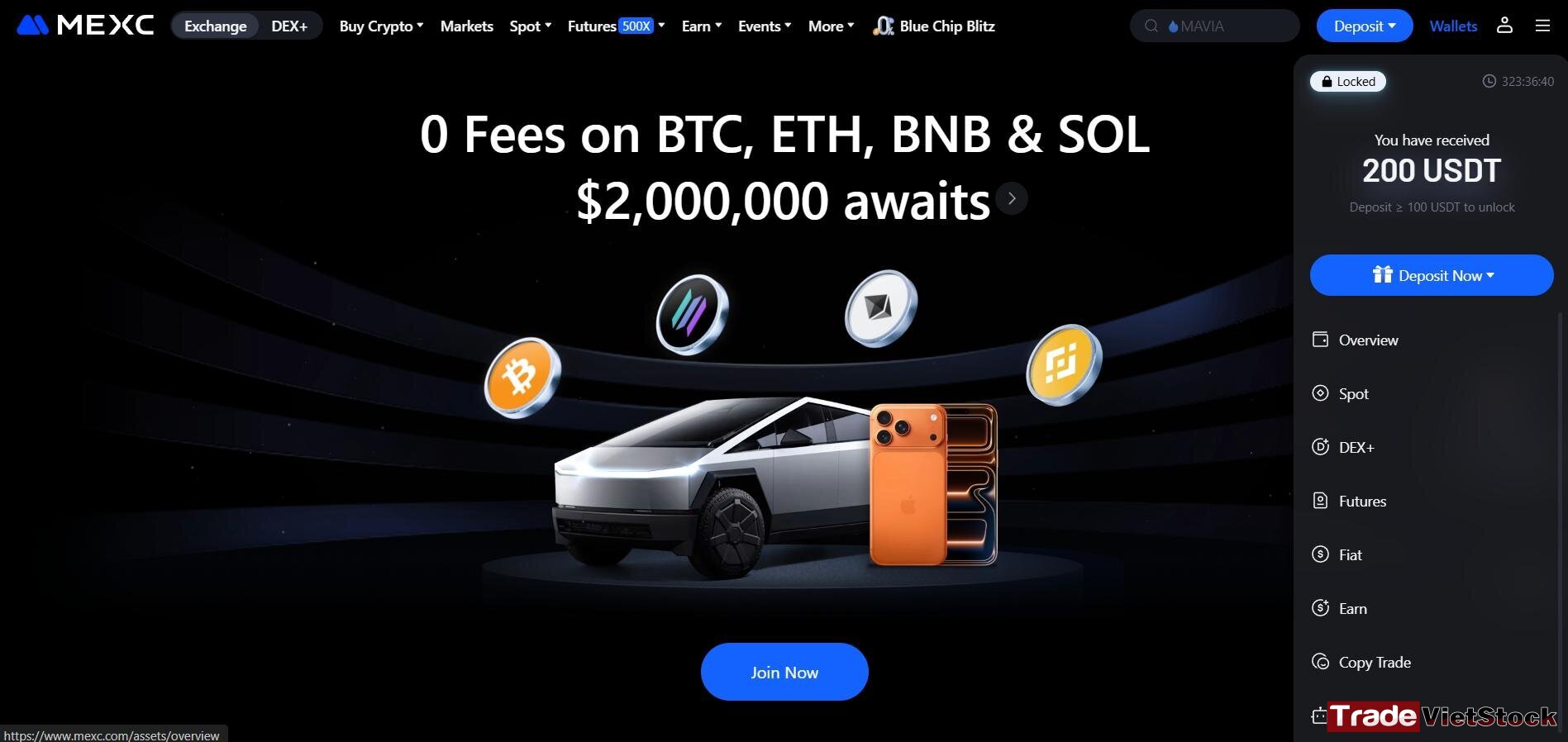
Once you sign up for a Mexc account, you can receive a 200 USDT bonus when you deposit on Mexc at least 100 USDT within your first 7 days after registration.
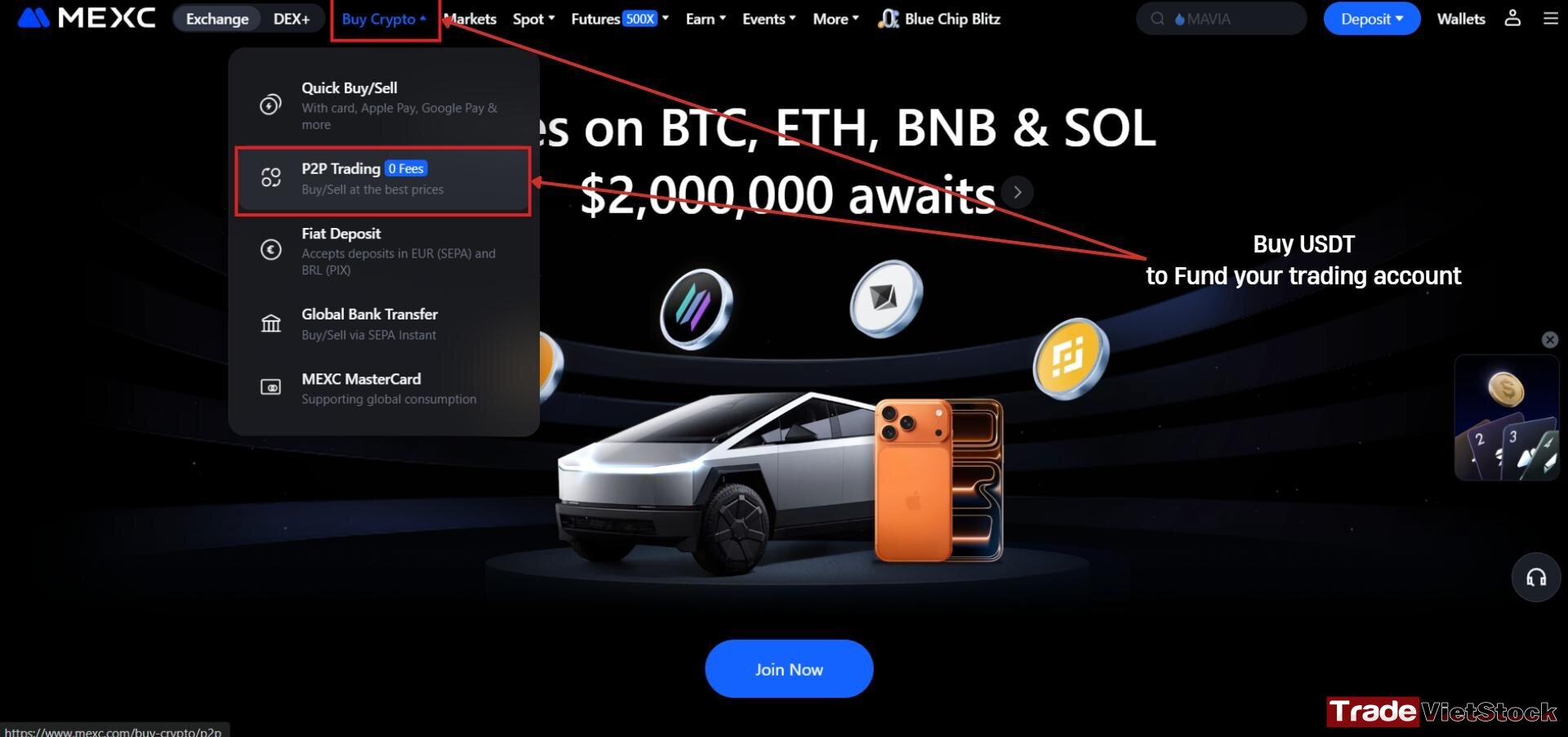
Step 1: Select “Buy Crypto”
Click “Buy Crypto”, then choose “P2P Trading” to buy USDT, the currency used for trading on MEXC.
Step 2: Choose Your Local Currency and a Payment Method
Select your country’s currency to make your first purchase. For example, if you are in Vietnam, select VND to buy USDT.
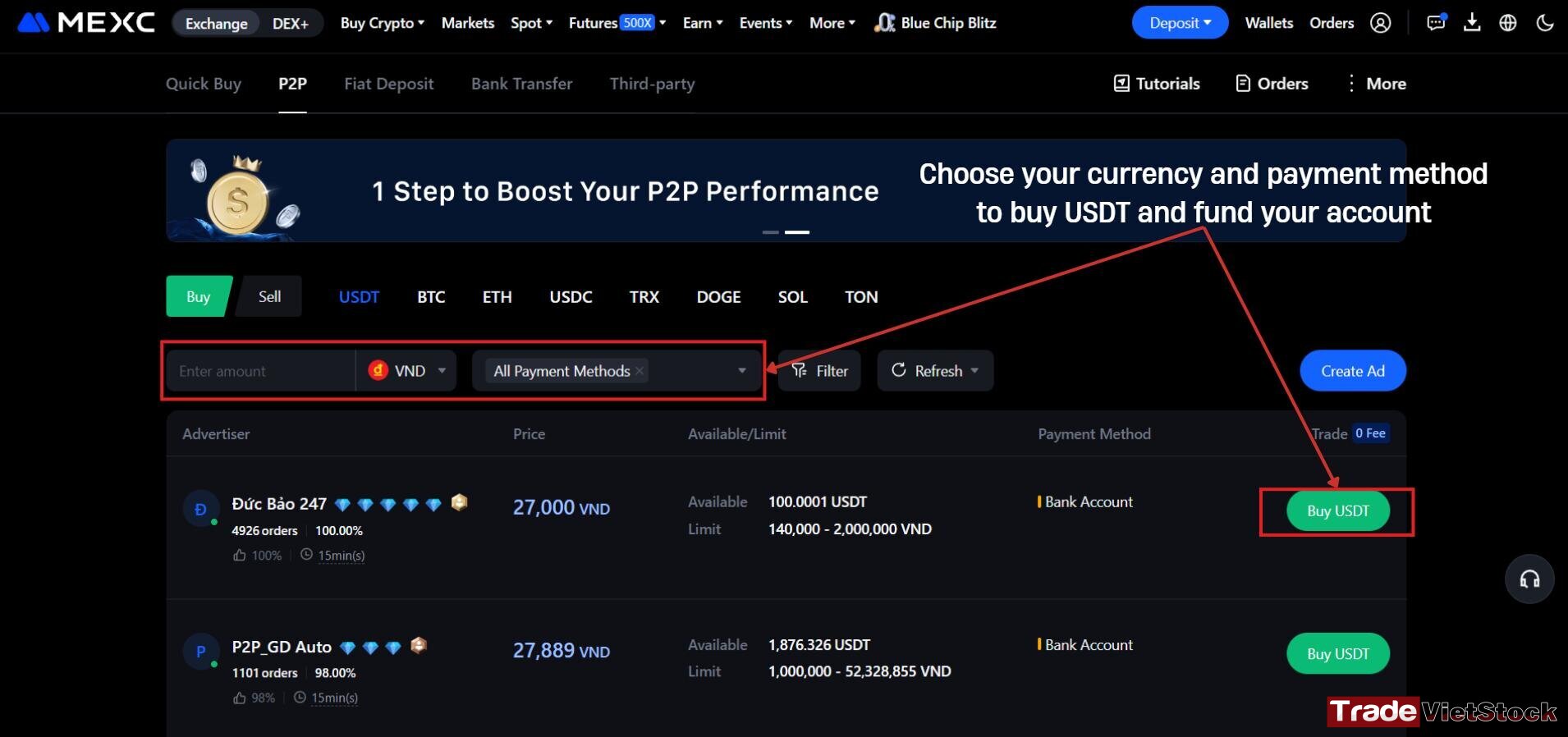
Select your preferred payment method. For instance, you can choose “Bank Account” for a direct transfer.
Before completing your purchase, review the merchant’s order count and completion rate.
It’s recommended to select a seller with a high number of completed trades and a strong reputation to ensure a smooth and secure transaction.
V. Conclusion
And that’s it! You’ve just completed all steps to sign up for a Mexc account, including registration, verification, and deposit on Mexc.
You’re now ready to explore the world of crypto trading on MEXC. Don’t forget to take advantage of ongoing promotions and bonuses to maximize your rewards.
If you have any questions or want to learn more, visit our Cryptocurrency Exchange Registration section for additional guides and expert insights.
Happy trading!





Test